Put AI to work.
Keep clear boundaries.
Practical guidance from building KJM’s website, reusable controls and business tools. Understand the decisions, use the examples, and leave with something you can apply.
- Real decisions
- Useful working examples
- Clear data boundaries
For people who use AI, not people who write software
This toolkit is for business people using AI to create documents, build web pages or vibe code simple tools. It shows you how to get better results while keeping the risks under control.
Professional developers will have more advanced tools and practices. Use this as a guide to the decisions, not a replacement for those.
Start with the overview below, or go straight to the practical guides and example master prompts
AI builds apps faster than anyone can secure them
AI lets almost anyone build a polished web page or app in an afternoon. It lets attackers find the weaknesses just as quickly. The result looks finished long before it is safe.
The KJM AI Toolkit closes that gap. Instead of building your own authentication, hosting and data protection, your custom AI apps run inside the Microsoft 365 or Google Workspace security you already pay for. You get the speed of custom AI without standing up a security function to support it.
It does not replace good development practice. Used with discipline, it lets you replace selected SaaS subscriptions with apps you own and control.
See how the architecture works in practice
This isn't a theoretical model. It's how KJM runs today. The architecture has three layers, and each one has more access to data and tighter controls than the one before.
Public site Custom AI-built components on our website, such as our lead capture forms. They have no direct access to internal data, so a compromised page exposes nothing of value.
Secure connections Controlled links between public components and internal systems. Authentication and permissions run through Microsoft 365, not custom code, so there are no home-grown login systems to attack.
Internal apps Custom apps that work with client data, such as our CRM and KJM Flow Studio running in SharePoint. They sit entirely inside our tenant and are governed by the same identity, access and audit controls as the rest of the business.
The pattern is simple. The closer an app gets to sensitive data, the more it relies on platform security rather than its own.
External channels
People find KJM through social media, advertising, search, shared links or direct visits.
People reach KJM through social media, advertising, newsletters, search and recommendations. Some links identify where a visitor came from; others are simply a way to find us.
HOW PEOPLE FIND KJM
Alternative routes into one public website, not consecutive steps.
Every entry route leads to the same public website. Referral and campaign identifiers support measurement without granting different access rights or transferring customer information in a link.
BUILDING AWARENESS
Social media posts & ads
LinkedIn posts, paid adverts and other social content introduce useful ideas and direct interested visitors to KJM’s website. The aim is to help people find relevant information, not capture private details.
VISIT ATTRIBUTION
Links with useful context
Links can carry a source, campaign and referral identifier so KJM can understand which content prompted a visit. These identifiers describe the visit, not the person, and do not include customer or staff records.
OTHER WAYS TO ARRIVE
Search, sharing & direct visits
People also arrive from search, a colleague’s recommendation, a shared article or by typing our address. Those visits work whether or not campaign information is present.
Website including public Kira AI
Visitors browse KJM information, use the enquiry form or speak directly with public Kira.
KJM’s public website explains our services, makes useful content accessible and allows people to contact us through a form or Ask Kira. Both routes apply the same enquiry controls, while personal information is retained only in KJM’s secured Microsoft environment.
ONE WEBSITE · TWO ENQUIRY OPTIONS
The form and Ask Kira are alternatives with the same protections.
The form and Ask Kira apply the same required-field, consent and submission controls. Neither retains submitted personal information on the public website. Accepted enquiries are transferred into KJM’s secured Microsoft environment for processing and storage.
PUBLIC EXPERIENCE
Content designed for people
Custom WordPress components, developed with AI assistance, present KJM’s services, case studies and resources in a consistent, practical way. Visitors can explore what matters to them and choose when to make contact.
DIRECT ENQUIRIES
Enquiry forms & consent
Our form checks the required information, confirms consent and passes a valid enquiry securely into KJM’s Microsoft environment. The website does not retain submitted customer details.
CONVERSATIONAL ENQUIRIES
Ask Kira submits directly
Visitors can give Kira their enquiry details without opening or completing a separate form. Kira applies the same required-field checks, consent rules and secure submission controls before passing the enquiry on.
UNDERSTANDING ENGAGEMENT
Privacy-conscious analytics
Measures visits, pages and referral links without retaining IP addresses or identifiable visitor details. Unsubmitted personal information is discarded; submitted enquiries are transferred to and held in KJM’s secured Microsoft environment, not stored on the website.
Compartmentalised public AI
Public Kira responds using approved public KJM knowledge. It cannot access internal systems or personal records.
Public Kira answers visitors using approved public KJM information. The public AI service is kept separate from our internal systems and has no access to customer records, staff information or other private business data.
PUBLIC KNOWLEDGE, PRIVATE INFORMATION PROTECTED
Only approved public knowledge. No internal-data connection or saved chat history.
The public AI has no connection to private business records. That separation is enforced by the service architecture and its data connections, not by asking an AI model to refuse access. Approved knowledge and session controls provide further protection.
ISOLATED SERVICE
Separated from private information
Public Kira operates through an isolated AI service with no connection to KJM’s internal systems, CRM or existing customer and staff records. Visitors cannot retrieve those records through Public Kira.
CONTROLLED KNOWLEDGE
Approved KJM subjects only
Kira answers questions about KJM using only information approved for public use. It has no access to internal files, CRM records or any other private business information.
PRIVACY BY DESIGN
Conversation privacy
Public chat history is not stored. Information from the chat session is discarded when it ends. Details deliberately submitted as an enquiry are transferred to KJM’s secured Microsoft environment, not retained as chat history on the website.
KJM staff
Staff sign in through KJM’s managed Microsoft identity.
KJM staff use their managed Microsoft sign-in to access work applications. Their responsibilities then determine which information and functions they can use, rather than treating every signed-in person as having full access.
A TRUSTED SIGN-IN · APPROPRIATE ACCESS
Recognising an employee is different from granting them information.
Microsoft and Google invest in mature security platforms backed by specialist teams. Building inside these established environments lets KJM use that foundation and reduce risk. Building outside them without the skills to secure, test and maintain applications carries significant business risk. Platform protection still needs sound application design and oversight.
CONFIRM IDENTITY
Secure Microsoft sign-in
A managed Microsoft account establishes the employee’s identity and applies the organisation’s sign-in protections. Staff use their established work identity rather than creating a new, separately managed account for each application.
PROTECT INFORMATION
Access matched to the role
Role-based access control (RBAC) restricts employees to the applications, actions and information assigned to their role. Signing in does not grant wider access. Changes in responsibilities require a managed review and update of those permissions.
Identity & access
Existing security and role permissions control access to business information.
The application confirms the user’s identity and enforces their existing permissions before any private information is retrieved.
Access is enforced by the application and data services. An AI model cannot grant itself, or a user, additional permissions.
Internal AI service
Internal Kira retrieves only the information the signed-in employee is authorised to access.
Internal Kira helps staff find and understand information they already have permission to use. It runs separately from public Kira and works within KJM’s secured Microsoft environment.
SECURE KNOWLEDGE FOR STAFF
Access to a source is checked before Kira can use its information.
The public AI has no connection to private business information. Internal Kira can retrieve only data the signed-in employee is authorised to access, as enforced by the application and underlying permissions. Information shared too broadly remains a governance risk: AI can make it easier to find, but cannot fix incorrect access settings.
SIGNED-IN EMPLOYEE
Staff ask in their own account
An employee signs in through their work account. The application checks their identity and existing permissions before retrieving business information. Asking Kira a question does not change those permissions.
ROLE-BASED ACCESS
No more access than the employee
The application and underlying data controls enforce the employee’s existing permissions. If the employee is not authorised to see a record, Internal Kira cannot retrieve it for them. A question cannot grant extra access.
SEPARATE INTERNAL SERVICE
Private AI, separate from public Kira
Internal Kira operates as a separate secured service. Its approved connections to business information are not available to Public Kira, which has no path into those records.
USEFUL RESPONSES
Answers that can be checked
Kira brings together information the employee can access and provides links or references to the underlying sources. People can check the facts before acting on the answer.
Controlled automation
Defined business rules validate and route the request before it reaches business records.
KJM uses controlled processes in Microsoft 365 to receive requests and carry out routine work consistently. A sales enquiry and a request involving private information may arrive the same way, but must be handled differently.
ONE INTAKE · DIFFERENT BUSINESS OUTCOMES
CRM enquiries and protected-information requests follow separate routes.
AI and automation reduce repetitive handling without gaining authority to release customer information. Each request type has its own rules and approved recipient addresses, enforced by the business process. Requests outside those rules require human review.
RECEIVE A REQUEST
A single secure handover
Whether details arrive from the public form or directly through Kira, they enter the same controlled business process. The website does not become the place where customer information is stored.
APPLY BUSINESS RULES
Checks before processing
The workflow validates the submitted information, applies consent and business rules, and determines the permitted next step. AI does not authorise access to private information or decide who receives it.
NEW BUSINESS ENQUIRIES
Enquiries reach the CRM
A valid enquiry creates or updates the appropriate contact, organisation and activity records so KJM can follow up without re-keying details or losing the enquiry’s source.
PROTECTED REQUESTS
Approval rules for each information type
Each type of customer information has its own security rules and pre-approved recipients. Automated processes can only send information to client email addresses already authorised for that specific information type. A requester cannot redirect information to another address. Requests that do not meet these rules are referred for human review.
Approved recipient
Customer information is sent only to a pre-approved client email address for its specific request type. Exceptions go to human review.
Each type of customer information has its own security rules and pre-approved recipients. Automated processes can only send information to client email addresses already authorised for that specific information type. A requester cannot redirect information to another address. Requests that do not meet these rules are referred for human review.
APPROVED DELIVERY OR HUMAN REVIEW
A missing approved recipient stops automatic disclosure.
An unauthenticated request does not establish permission to receive information. Security rules are defined for each request type, and automated delivery is restricted to pre-approved client email addresses. A person can trigger an authorised delivery but cannot redirect it to another address.
PRE-APPROVED RECIPIENTS
Authority recorded by request type
Each type of customer information has its own pre-approved client email recipients, recorded in controlled business records. A request cannot add or alter approved recipients.
RELEASE RULES
Send only what is permitted
Automated delivery can only use a client email address already authorised for the particular information type. An email supplied in a chat or form cannot redirect the information.
HUMAN DECISION
Manual review for exceptions
If a request or recipient fails the rules, the process does not release information automatically. An authorised employee reviews the exception before any further action.
CRM Example
An approved business application provides the interface and business rules for staff.
KJM’s CRM demonstrates how AI can accelerate the development of real business applications using tools within our secured Microsoft environment. AI helps create code quickly; people direct the architecture, security, usability and long-term quality.
AI-ACCELERATED DEVELOPMENT · HUMAN-LED DELIVERY
Build quickly, reuse wisely and verify the outcome.
AI dramatically increases development capacity, but a working screen is not proof of a sound application. Architecture, security, maintainability and thorough testing remain human responsibilities. The goal is practical, supportable applications that reduce client effort and cost.
HUMAN-LED DESIGN
Designed by people who know the work
Experienced people decide what users need, which information the application should use and how it must protect that information. AI helps implement those decisions, but cannot replace business and architectural judgement.
AI-ACCELERATED BUILD
Built faster with AI
AI can rapidly write and refine application interfaces, workflows and business rules using the Microsoft tools KJM already operates. Rapid development is valuable because it gives clients useful solutions sooner, not because it removes the need for controls.
NO UNNECESSARY DUPLICATION
Reuse what already exists
AI may recreate an existing function, duplicate records or introduce a second version of business rules even when a source of truth already exists. Good design requires checking for reusable components and keeping one reliable version of each record and rule.
QUALITY OVER TIME
Keep the application maintainable
AI can leave old code behind after features are removed, generate unnecessarily complex code or break something elsewhere during a change. Review code, remove what is obsolete, test the whole application and release changes in controlled versions.
Business data
Approved information is securely managed within the Microsoft environment.
Good data governance is a deliberate part of application design. It protects customer, staff and business information while giving people and approved applications reliable information to work with.
GOVERNED BUSINESS DATA
The right storage, reliable records, clear access and disciplined delivery.
Protecting customer and staff data cannot be left to chance or assumed to happen because AI wrote the application. People must deliberately design access, ownership and development controls, then verify they work. The Microsoft security foundation helps, but does not make these decisions on our behalf.
FIT-FOR-PURPOSE STORAGE
Choose storage to suit the application
AI-developed applications can use SharePoint or a database. The right choice depends on the business need, scale and technical requirements, not a preference for building something new.
TRUSTWORTHY BUSINESS DATA
One reliable source of truth
The application uses an agreed source of truth for people, organisations, enquiries and activities, with clear ownership and relationships. New functions must reuse those records and rules rather than create competing copies.
CONTROLLED ACCESS
Information access follows roles
Role-based access control (RBAC) restricts who can view or change information and what connected applications are allowed to do. Security is designed into the application as well as the underlying environment.
RESPONSIBLE DELIVERY
Develop, test and maintain responsibly
A disciplined development lifecycle means defining requirements, reviewing design and security, testing changes, approving releases and maintaining the application over time. AI-generated code follows the same standards as any other software.
The whole picture
See the boundaries
Explore KJM
Visitor → public answer
Submit an enquiry
Consent → data → CRM
Request an update
Request → approved contact
Ask Internal Kira
Staff → AI → permitted data
Work in the CRM
Staff → app → business data
Website visit
Question / answer
Request
Data access
Approved delivery
Permission-filtered retrieval
Read / write
Choose a journey
See how AI architecture works in practice. Once you’ve chosen a journey, click any tile to see more detail.
Choose a journey
Select a journey
Click a component to look inside
Back to architecture
Inside the component
Why this design matters
Why we designed it this way
Full interactive architecture: desktop experience
On mobile, follow the same business and security principles through a guided journey. Select any step to explore it in more detail.
Choose a journey above to see how information moves between KJM’s public services, secured applications and staff.
SECURITY BOUNDARY · Information enters KJM’s controlled business environment
Illustrative KJM architecture · Separate services. Defined access. Controlled data.
Session handling, permissions and delivery controls must be verified in the deployed systems.
Public / external
Governed business & staff
AI isolation boundary
KJM MICROSOFT ENVIRONMENT
ISOLATED PUBLIC AI
INTERNAL AI
PRIVATE BUSINESS SERVICES & DATA
PUBLIC
EXPERIENCE
INTERNAL USERS
Separate permissions · Controlled connections · Governed operation
ID &
ACCESS
Verify
identity
and
enforce
access
Enquiry to CRM
Enquiry record
OVERVIEW
See how KJM uses AI for public enquiries and to develop useful business applications, while keeping business information protected within its managed Microsoft environment.
AI can accelerate useful services and application development. Separating public access, staff permissions, business information and outbound delivery protects the people whose data we hold.
-
Public help, separate from business data
Visitors browse the website and use Public Kira AI. The public AI has no connection to KJM’s internal records.
-
Business applications with clear boundaries
Staff use governed applications and Internal Kira AI within their existing Microsoft permissions.
-
Information handled deliberately
Enquiries enter controlled business processes. Private information is only sent to approved recipients through a separate process.
PUBLIC JOURNEY
Visitors can find KJM through social media, ads, search, referrals or a direct visit. Public Kira AI helps them explore approved KJM information.
We can offer useful public AI without exposing private information. Public Kira AI knows about KJM, not what is held in our internal systems.
-
Discover KJM
Social posts, advertising and other links lead visitors to relevant website content; people can also arrive directly or through search.
-
Explore or ask Kira
Visitors can browse services and case studies or ask Public Kira AI about KJM.
-
Receive approved information
Public Kira AI responds only on approved KJM subjects. Its service is isolated from customer, staff and internal business data.
PUBLIC JOURNEY
Visitors can submit an enquiry through a website form or directly through Ask Kira. Both use the same consent, validation and secure submission controls.
One controlled enquiry process delivers a consistent experience and protects personal information. The website does not become another place where client records are stored.
-
Choose how to enquire
A visitor completes a form or tells Public Kira AI what they need, without having to complete a second form.
-
Apply the same controls
Required information, consent and submission rules are checked regardless of the channel. Public AI has no access to internal records.
-
Transfer securely
The enquiry moves into KJM’s Microsoft 365 environment for processing and storage. Submitted personal information is not stored on the website.
-
Follow up in the CRM
The CRM uses the accepted business record so KJM can manage contacts and enquiries without maintaining separate copies.
PUBLIC JOURNEY
A customer can request approved information through Kira, but the request cannot choose where private information is sent. Automated delivery follows the approved recipient rules for each type of information.
A public request cannot authorise disclosure. Each information type has defined security rules, and automated delivery is restricted to pre-approved client email addresses for that type. The process cannot be redirected by the person making the request.
-
Submit a request
Public Kira AI gathers the information needed to raise the request. It cannot retrieve existing customer records.
-
Apply request-specific security
Each type of customer information has its own security rules and pre-approved client email recipients.
-
Retrieve approved information
The automated process retrieves only the records authorised for that type of request.
-
Deliver only to approved addresses
Information can only be emailed to a client address already approved for that request type. A requester cannot redirect the result.
-
Refer exceptions for human review
Requests that do not meet the rules are not automatically processed or disclosed.
INTERNAL JOURNEY
Staff use Internal Kira AI within KJM’s Microsoft environment. It can search and explain business information, but only what the signed-in person is already allowed to see.
Internal AI makes permitted information easier to find, including records shared too broadly by mistake. The application enforces existing permissions, but AI cannot correct poor access governance.
-
Sign in as a staff member
Microsoft establishes the employee’s identity and existing access rights.
-
Ask Internal Kira
The internal service is separate from Public Kira AI and has its own protected access to business information.
-
Respect existing permissions
Kira can use only information the employee is authorised to access. It cannot grant new access or override the underlying controls.
-
Answer with supporting sources
Relevant information is brought together for the employee, with source context they can verify.
INTERNAL JOURNEY
KJM’s CRM demonstrates how AI can accelerate development of practical business applications inside an established, secure Microsoft environment. Staff then use the resulting application as an ordinary business tool.
AI supplies development capacity, not architectural judgement. Working software still needs human-led design and disciplined maintenance to avoid duplicate data, obsolete code and unintended effects.
-
Access the business application
Staff sign in through KJM’s Microsoft environment and work within approved access rights.
-
Use a purpose-built interface
The CRM supports leads, contacts and follow-up activities in a way that reflects how the team actually works.
-
Apply business rules to governed data
The application manages its functions while keeping business information in the agreed source of truth.
-
Maintain what AI helped build
People remain responsible for design, security, reuse, testing and code quality as the application evolves.
Create your own interactive diagrams like this one
We built KJM Flow to make diagrams like the one above. Subscribe to our newsletter and you can use it free to map your own processes, systems and journeys.
Start with something you already pay for, or are about to
SaaS pricing is built to look cheap on day one. The features you'll actually need, like integration, automation and proper reporting, are always a tier or two up. When we needed a CRM, we saw that early and never signed up. We built our own on Microsoft infrastructure instead. The steps below show how, so you can do the same.
1. Price the tier you'll actually need
Ignore the entry price. Work out which tier covers what you'll need in twelve months, multiply by your user count and compare that with building. For an existing subscription, check what you're about to be pushed into.
Our example: lead capture, consent tracking and automation all sat in the higher tiers of every CRM we looked at.
2. Decide where the data belongs
Before any design, work out what the app holds, who needs it and how sensitive it is. Sensitivity decides location.
Our example: the CRM holds client contact and consent data, so it stays inside our tenant. The public website only passes enquiries in. It never stores them.
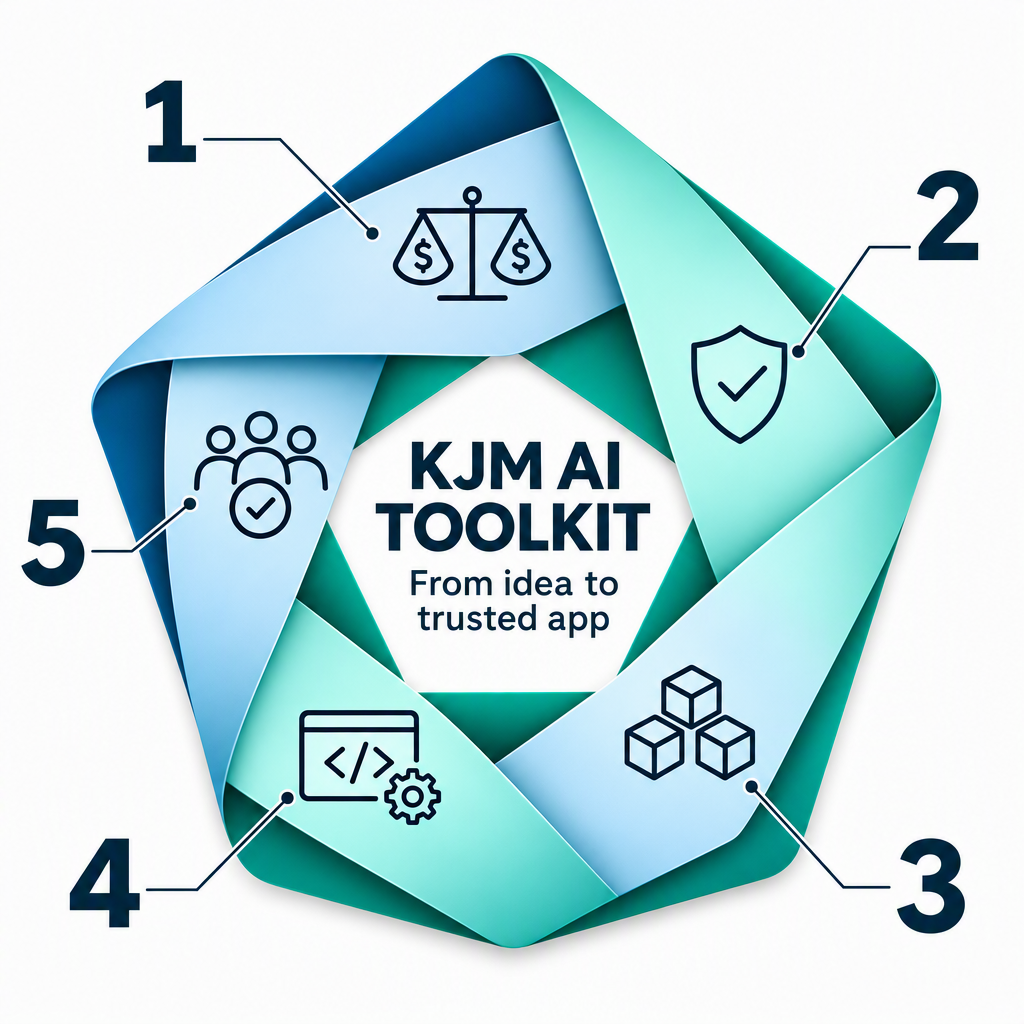
3. Design the architecture before the AI writes code
Left alone, AI will solve the same problem three different ways. Set the rules first:
One source for master data. Statuses, categories and consent types are defined once, so the AI can't create versions that drift apart.
Modular by design. Each change touches only the module that needs it, not the whole app.
A living architecture reference. The AI maintains a map of components, files and dependencies, and reads it before every change so it knows what to update and what could break.
Our example: every CRM build session starts from the architecture reference, and all shared values come from master data.
4. Build on the platform, and plan for the last 20%
Run on infrastructure you already own and build app security on Microsoft or Google identity management, not custom logins. AI gets you to 80% fast.
The real effort is the last 20%: edge cases, permissions, error handling and the details users notice straight away. Good architecture keeps that effort focused instead of turning it into rework.
Our example: first working version in days, production-ready in weeks.
5. Pilot small, with people who want it to work
Release in small batches to users who know they're testing and will tell you what's wrong. Fix what they find, then widen the rollout. Keep the existing process as a fallback until each batch runs cleanly, and only then make the new app the system of record.
Our example: we piloted the CRM features in small batches with willing test clients. Issues were found and fixed before they reached the wider client base.
What do you want to do?
Choose a guide below. Each one explains the trade-offs, works through an example and gives you a practical starting point.
KJM Practical AI Toolkit · Edition 2 · 18 November 2026

Ask questions, share your thoughts and help your community
0 commentsAsk a question, share your experience or tell us what you think of this toolkit. Your insights help others in the community. If you find it useful, please share it with your network. If not, tell us why below.
Leave a comment
Checking your comment against our community guidelines.
Community discussion
0 contributionsNo comments yet. Start the conversation.